Mirai Botnet Variants: How Compromised IoT Devices Fuel DDoS Attacks
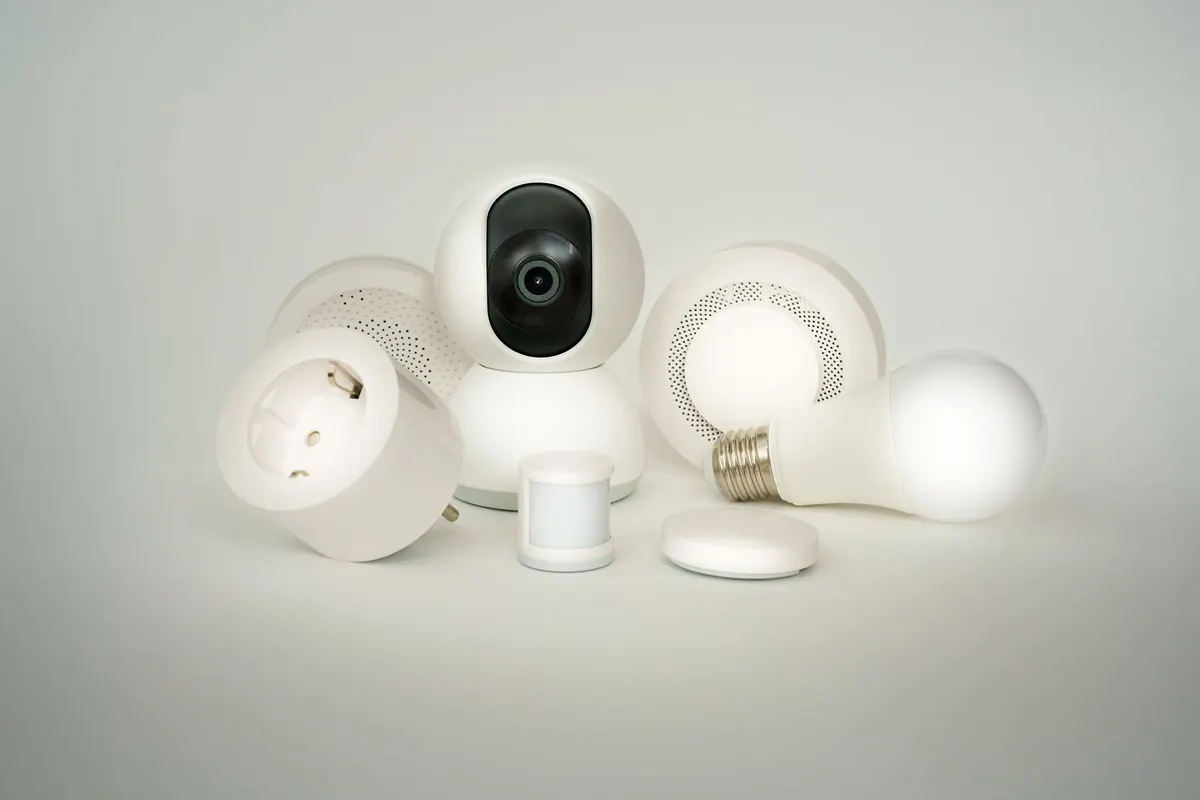
A thermostat that ships with the password admin is not really a thermostat. It is a small, always-on Linux computer with a public IP address — and once Mirai gets inside, it is a soldier.
Mirai appeared in 2016 and made an uncomfortable point: a large share of the internet of things was running old firmware, exposed to the internet, and owned by nobody in particular. Chain enough of those devices together and you get a traffic cannon that costs almost nothing to operate. The original source code was published publicly that same year, and that single leak is why we still talk about "Mirai variants" a decade later. The playbook is simple enough that anyone can copy it, tweak it for a new router model, and rebuild an army in days.
How Mirai Finds Its Recruits
There is no clever exploit in the classic Mirai infection path. There is guessing, done at industrial scale.
An infected device or a dedicated scanner host sweeps the IPv4 space for open Telnet ports — most commonly TCP 23 and 2323, with SSH (22) showing up in many derivatives. When a service answers, the malware tries a short, hard-coded list of credential pairs. You have seen them before: admin/admin, root/root, support/support, root/xc3511, vendor names paired with model numbers, and the passwords printed on the sticker of consumer routers.
Every failed login is free. Every success adds a device to the pool. The reason this works is not that the malware is sophisticated — it is that shipping a device with a shared, guessable login and leaving it reachable from the open internet is still normal practice.
The Infection Chain, Step by Step
Understanding the sequence matters, because each stage gives you a place to break the chain.
- Scan. The bot looks for reachable Telnet or SSH services on random IP addresses, skipping ranges it already knows are unhelpful.
- Log in. It tries the built-in credential list. A single hit is enough.
- Report home. The newly compromised device tells a command-and-control (C2) server that it is alive and which CPU architecture it runs.
- Download the payload. The loader serves an ELF binary compiled for that architecture — ARM, MIPS, x86 and others are all supported in most builds.
- Dig in. The bot kills rival processes, blocks common management ports to keep other malware out, suppresses watchdog reboots, and writes itself into startup locations so it survives a restart.
- Wait. The device sits quietly until the operator issues an attack command.
From the owner's side, steps two through six often produce nothing visible. Maybe a sluggish admin page. Usually nothing at all.
Why IoT Gear Makes Perfect Soldiers
Laptops and servers would be better targets in theory — more bandwidth, more compute. In practice, IoT devices win on the qualities that matter for a botnet:
- They never log out. Nobody is watching a security camera's process list at 3 a.m.
- There is no endpoint protection. Antivirus on a doorbell is not a thing.
- They are disposable. When a device gets wiped or replaced, the operator loses one node and moves on.
- They are numerous and identical. One working credential pair can open thousands of the same model.
- They are online constantly. A bot that is always reachable is worth more than a faster one that sleeps.
- Updates rarely arrive. Many models go end-of-life with known vulnerabilities and no patch path.
That combination — persistence, invisibility and a shared factory password — is what turns a firmware flaw into a sustained, rentable attack service.
The Family Tree: Variants That Spread
After the source leak, developers forked it constantly. A few branches are worth knowing by name, because they show how the family evolved.
Satori replaced the login loop with genuine exploits against Huawei router firmware, which let it spread on its own without waiting for a loader. Okiru targeted ARC processors, opening up a class of hardware the original binaries could not run on. Mukashi went after Zyxel devices, and V3G4 and its relatives bundled exploits for a string of consumer router and NAS routers. In between, copycats have welded Mirai's scanning and reporting logic onto whatever CVE was trending that month.
A separate but closely related lineage, Mozi, dropped the central server entirely and used peer-to-peer command distribution, making takedowns far harder. Different code, same result: a self-assembling pool of compromised hardware.
The pattern across every variant is the same. Take working scanning and credential logic, add one fresh exploit, and you have a new botnet with no new ideas.
What the Attack Feels Like From the Outside
When the operator pulls the trigger, the traffic arrives in layers. Volumetric floods — SYN packets, UDP datagrams, GRE tunnels, spoofed source addresses — are aimed at filling the target's bandwidth and exhausting connection tables. Application-layer floods are quieter, holding HTTP connections open with slow or partial requests so that a web server runs out of workers while the raw packet rate stays unremarkable.
Amplification still appears in some derivatives, where the botnet sends small queries to services that answer with much larger replies. The common thread is that the traffic is real, it comes from real residential connections, and blocking it means blocking your legitimate customers along with it.
Hardening the Devices You Own
You cannot fix the whole internet, but the devices on your network are yours to manage. Most of this takes one afternoon.
- Change every default password. Use a long, unique passphrase, and change the Wi-Fi and admin credentials separately.
- Turn off remote administration from the WAN side, along with UPnP and any "cloud access" feature you are not using.
- Disable Telnet where the option exists, and never expose port 23 or 2323 to the internet.
- Apply firmware updates when they appear — and check the manufacturer's support page, because many devices never notify you.
- Put cameras, smart plugs and TVs on a separate guest network or VLAN so a compromise cannot reach your laptops and file shares.
- Look at outbound traffic occasionally. A camera that maintains a session to an unfamiliar host on a high port is worth investigating.
- Retire end-of-life hardware. If a router has not seen a firmware release in years, it belongs in a drawer, not on your edge.
For businesses, the same list applies with more weight. If you cannot say how many IoT devices are on your network, who installed them, or whether they receive patches, that inventory gap is the exposure. Where contractual or regulatory obligations apply to your infrastructure, get advice from a qualified professional rather than relying on a checklist alone.
A Short Version You Can Act On
Mirai works because of one boring fact: a great many internet-facing devices accept a password that everyone knows. Start by removing that fact from your own network. Change the credentials, close the management ports, patch what can be patched, isolate what cannot, and replace what the vendor has abandoned. If enough people do that, the next variant has to work harder for every recruit — and that is a meaningful difference in a threat landscape built entirely on easy wins.
Photo: Jakub Zerdzicki / Pexels